Directing AI for Project Management
How I use Claude to run several self-directed projects at once — the practices, two real examples, and what I watch for.
I run several self-directed projects at once: this rebrand, the case-study portfolio, and the broader income-streams tracker. Keeping each one moving without losing context between sessions takes its own discipline. This case study is about that discipline, not just what got built.
How It Works
None of this is AI-native. It's close to how I'd run any project without Claude, built from years of real PM and creative-ops work. What's changed is Claude itself: some of the tools below didn't exist when I started this practice, so the process has had to evolve as Claude's own capabilities have, and it's still evolving.
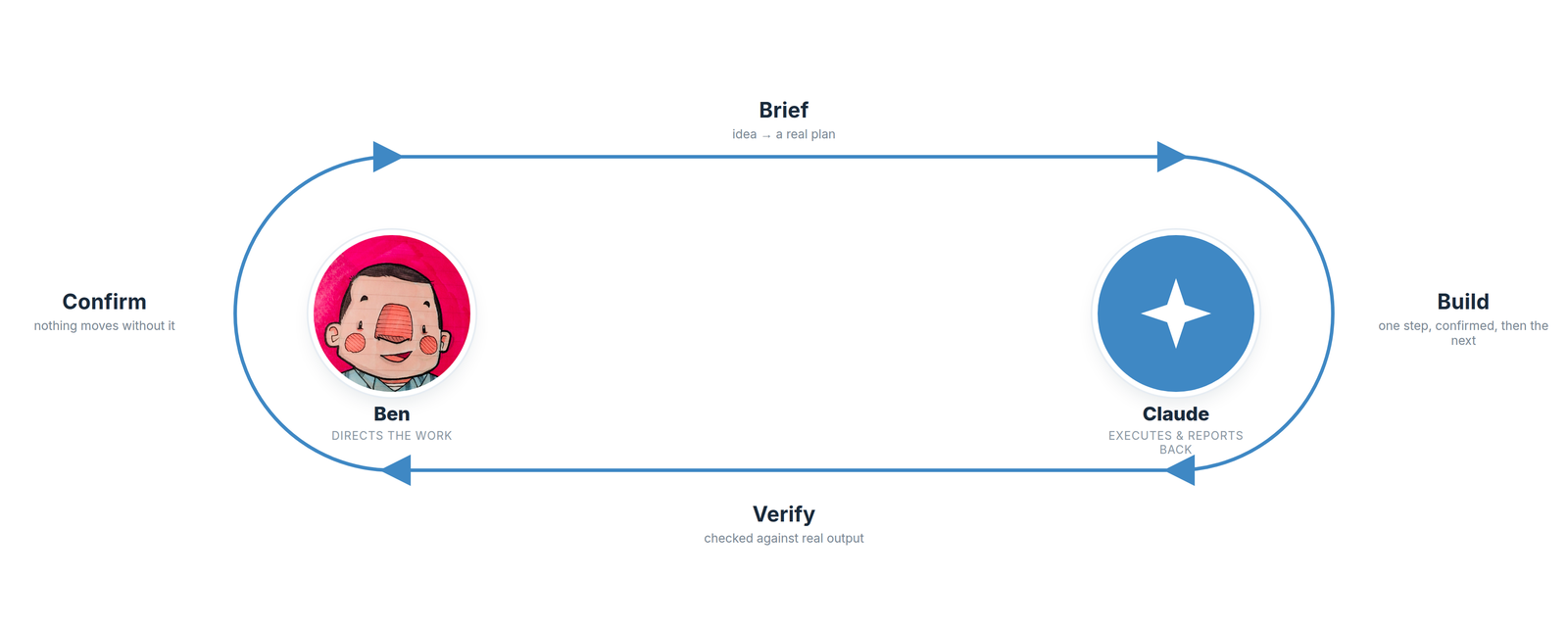
- Brief first. I often have Claude interview me before we start, turning a loose idea into an actual plan, the same discipline as a creative brief, applied to directing AI.
- One tracker per project. Every project gets its own Claude Project with a persistent tracker doc, so full history, decisions, and reasoning live in one place instead of my memory.
- Deliberate about where files live. I don't dump everything into Claude by default. Claude and Google Drive work together, Claude and my desktop work together, and I choose which tool holds which files. Source files and tracker docs get backed up to Drive as a safety net.
- One step at a time. Only the next action gets surfaced and confirmed before the next one starts.
- Verify the real output. A claim that something worked gets checked against an actual rendered result, not a status message or a computed style.
A Real Example: Fixing One Link
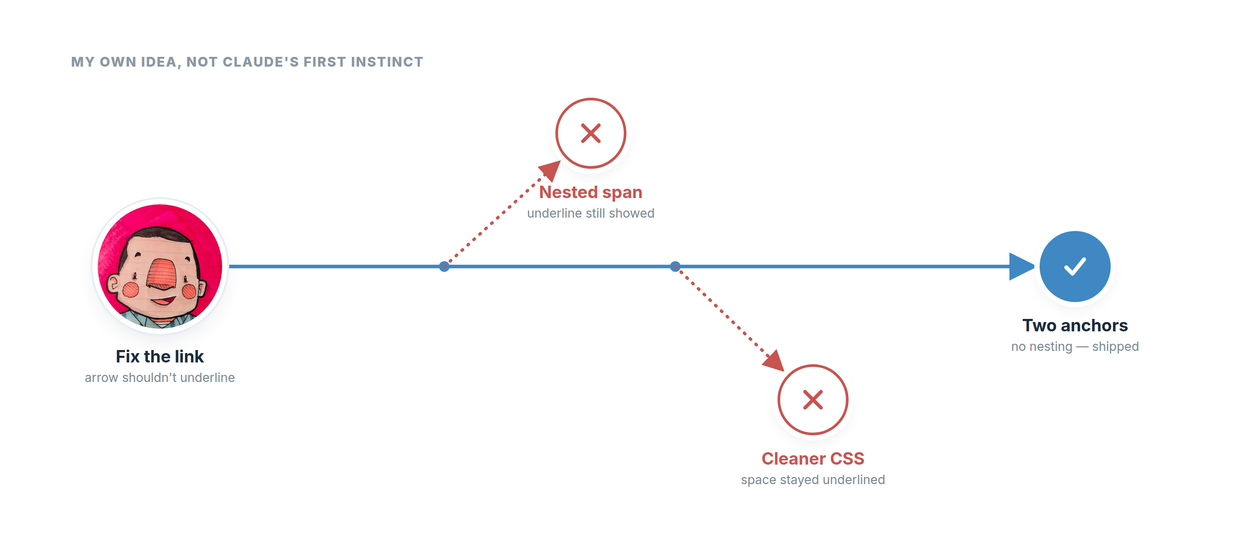
The case-studies index page had a "Read the full case study" link with an arrow after it. The arrow's underline needed to disappear while everything else stayed clickable and consistent. The first fix nested a styled span inside the link. It looked right in the browser's computed styles, but a zoomed screenshot showed the underline still painting through under the arrow. The second attempt fixed the arrow itself but left the space before it still underlined. The real fix was simpler than either attempt: two separate links to the same URL, joined by a plain space, with the underline turned off directly on the arrow's own link, no nesting at all. That was my own suggestion, not Claude's first instinct, and it's now the standard pattern used across the site. It's not the tidiest markup — two anchors doing the job of one — but I'd already watched two cleaner-looking CSS approaches fail in ways that only showed up once rendered. I picked the version I knew would hold over one more round of chasing something more elegant.
A Second Example: Catching What Claude Can't Check
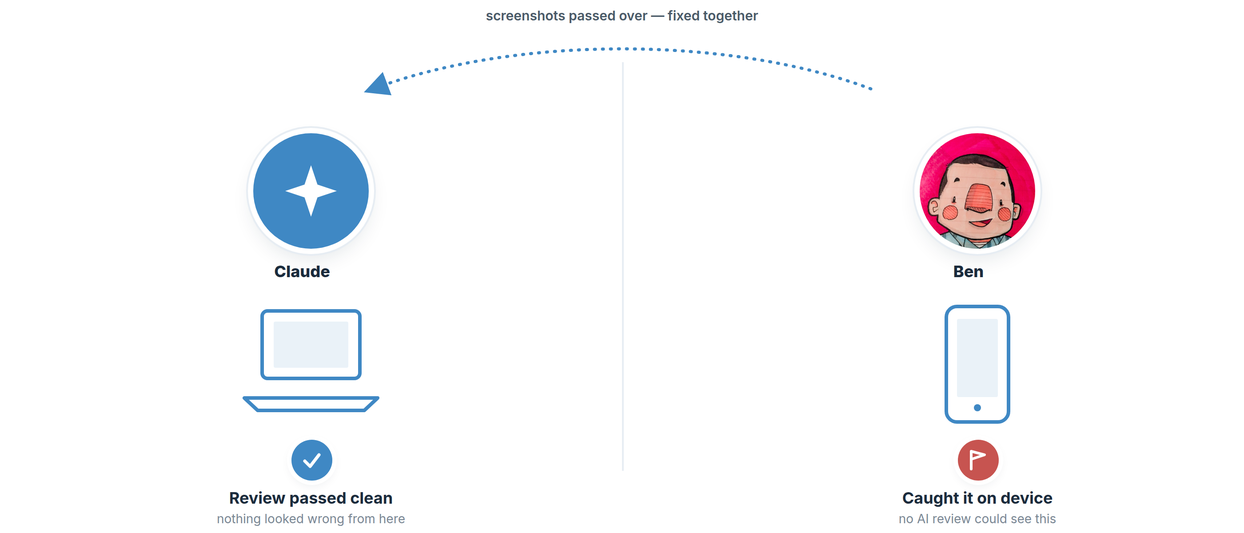
A header and footer spacing issue only showed up on my phone. Chasing down a reliable third-party tool to emulate a real mobile browser looked like a rabbit hole — cost, setup, no guarantee it would even match my actual device — so I did what I've always done: checked it myself. Claude's review had passed clean; it genuinely had no way to observe what I was seeing. I caught it on my phone, screenshotted it, and passed those over so we could work the fix together from what I was actually seeing. It's the clearest proof of the manual-QA point below: an AI-driven review can only check what it can actually observe — and sometimes closing that gap just means handing over the eyes.
Things to Watch Out For
- Manual QA still matters. Staged AI review isn't a substitute for a final human pass on a real device and browser. Not needed for every small tweak, but good practice, and this project has had real cases where it caught something automated checks missed.
- Scope the ask. Setting an explicit effort level per request keeps small tasks small, and keeps usage from disappearing into a task that didn't need it.
- Push back when the first answer doesn't hold up. One example: Claude got stuck trying to index a LinkedIn profile because of how much of the page loads through JavaScript. The fix wasn't a smarter prompt, it was switching tools entirely, to the Chrome extension instead of generic browser automation. Not foolproof, and I still have to remind Claude of it sometimes.
- Know Claude's own limits, not just the fix. Sometimes the better question isn't how to fix something but whether it can actually be fixed the way I'm asking. The PDF download-versus-open-in-new-tab issue on these pages is the example, a softer one, since it was more a judgment call than a hard technical wall, but asking the question early saves time regardless.
- Know enough to open the hood. I can hand-code HTML and CSS, so when Claude gets stuck I can dig in myself. The arrow-link fix above ended up being my own, more old-school idea.
A Few Operating Principles
- One source of truth per project.
- Flag it before burning time on a rabbit hole.
- Nothing moves forward without confirmation.
- Durable facts about me persist across every project. Project-specific decisions stay in that project's own tracker.
Where It Scales
The same discipline applies at team scale, not just personal projects. Creative Operations Program Tracker shows it applied to Monday.com and Claude working together on daily status reporting. Team Capacity & Workload Tracker shows the same reporting instinct applied to resourcing and capacity planning.